How to Check PTA Approved Phone in Pakistan – Complete DIRBS IMEI Verification Guide 2026
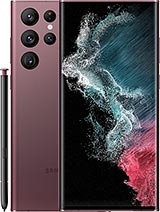
Samsung Galaxy S22 Ultra
Step 1: Dial*#06# to get IMEICheck box stickerand SIM tray matchStep 2dirbs.pta.gov.pkEnter 15-digit IMEINo spaces or dashesClick VerifyStep 3 — Read resultCOMPLIANT – BuyNON-COMPLIANTBLOCKED – WalkCheckBeforeYou Pay2 min · Free · No exceptions
Why This Check Is Non-Negotiable?
Pakistan’s PTA blocks unregistered mobile devices. If you buy a used phone without verifying its IMEI at dirbs.pta.gov.pk, you risk losing SIM access within 60 days — even on a phone that worked fine at the meetup. The seller will be long gone. You will have an expensive Wi-Fi device.
This check is free, takes under 2 minutes, and must happen before money changes hands — at Hafeez Centre Lahore, Saddar Karachi, or any OLX meetup. There are no exceptions. Not for iPhones. Not for phones in box. Not from trusted contacts.
- Step 1 — Get the IMEI
Dial *#06# on the phone. The IMEI (or both IMEIs for dual-SIM phones) appears immediately — no SIM needed.
Cross-check the number against: (1) the sticker on the box, (2) the IMEI printed on the SIM tray. All three must match. A mismatch between any two is a serious red flag — cloned device or replaced motherboard.
- Step 2 — Run the DIRBS Check
Open dirbs.pta.gov.pk on any device with internet. Enter the 15-digit IMEI — no spaces, no dashes. Hit Verify. Results appear in seconds.
- Step 3 — Read the Result
COMPLIANTSafe to buyRegistered with PTA.SIM works on allPakistani networks.No future block risk.NON-COMPLIANTVerify 60-day statusDetected but notregistered. Could bein grace period orabout to be blocked.Ask when SIM inserted.NOT FOUNDContext mattersNever on PK network.OK for new sealedimports. Red flag ifclearly used for months.BLOCKEDWalk away immediatelyBarred by PTA. NoSIM will ever work.Cannot be unblocked.Worth nothing asa phone.
BLOCKED = Walk Away Immediately
Do not negotiate. Do not feel pressured. A Blocked phone cannot be unblocked through any standard consumer process. It will never work with a Pakistani SIM from any carrier. Sellers know this — that is why they are selling it to you.
Dual-IMEI Phones — Check Both
iPhones (SE through 16 series) and many Samsung Galaxy models carry two IMEI numbers. Dial *#06# — both appear on screen. Run the DIRBS check twice, once for each IMEI. It is possible for IMEI 1 to be Compliant while IMEI 2 shows a different status. Both must be Compliant.
On iPhones, both IMEIs also appear at Settings → General → About if the dialler code is unclear on a specific model.
The 60-Day Grace Period
What sellers will not tell you about Non-Compliant phones
The 60-day window starts when the SIM was first inserted — not when you buy the phone. A seller who inserted a SIM 55 days ago is handing you a 5-day countdown. Ask directly: when was the first SIM inserted? If they cannot answer precisely, assume the window has nearly expired. Use the PTA Tax Calculator to check registration costs before considering any Non-Compliant purchase.
4G Band Compatibility for Non-PTA Phones
If you are considering a non-PTA phone, verify its 4G bands match Pakistani carriers before anything else. Many China-variant phones skip Band 28 (700 MHz) — the band responsible for indoor and rural 4G coverage on Jazz and Telenor. The phone shows four bars outdoors and drops to 2G the moment you enter a building.
| Carrier | Primary Bands | Critical Band |
|---|---|---|
| Jazz / Warid | Band 3 (1800 MHz) | Band 28 (700 MHz) |
| Telenor | Band 3 (1800 MHz) | Band 28 (700 MHz) |
| Zong | Band 8 (900 MHz) | Band 28 (700 MHz) |
| Ufone | Band 3 (1800 MHz) | Band 3 sufficient |
Complete Pre-Purchase Checklist
Do all of these before handing over any money:
- Dial *#06# — note the IMEI(s)
- Cross-check IMEI against box sticker and SIM tray
- Run DIRBS check at dirbs.pta.gov.pk — both IMEIs if dual-SIM
- If Non-Compliant — ask exactly when SIM was first inserted
- Check 4G band support if non-PTA (GSMArena has per-region specs)
- Run the full 30-Point Inspection Checklist for physical and software checks
Frequently Asked Questions
- Can I check PTA status without a SIM in the phone?
Yes. Dial *#06# with no SIM inserted to get the IMEI. Then check that IMEI at dirbs.pta.gov.pk from any connected device. No SIM required in the phone being inspected at any stage.
- Can a Blocked phone ever be unblocked?
No, not through any standard consumer process. Treat Blocked as permanently unusable on Pakistani networks. Do not buy it at any price.
- What does Compliant actually mean for the buyer?
Compliant means the device is registered with PTA and can use Pakistani SIM cards without any restriction. Registration follows the device — not the original buyer — so a Compliant used phone transfers cleanly. You do not need to re-register it in your name for it to work, though you can initiate a transfer through PTA’s official process if you prefer the record to be in your CNIC.
- Is Not Found always a problem?
Not Found on a sealed, clearly new imported phone is normal — it has never had a Pakistani SIM inserted. Not Found on a phone that has visibly been in use for months is a serious concern. The IMEI may have been tampered with. Do not buy a used phone showing Not Found unless you have a clear, verifiable explanation.
Ready to Find Your Next Phone?
Browse current used phone prices in Pakistan, run the full 30-point inspection checklist at your meetup, and compare models before you commit.
Browse Used Phone Prices Full Inspection Checklist Compare Phones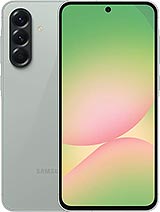
Samsung Galaxy A56

About Quraat ul Ain
Editor - Research & Academic Technology Contributor Quraat ul Ain brings an academic and research-driven perspective to PakistaniLiving (PL), specializing in emerging technologies, digital ecosystems, AI trends, mobile platforms, and consumer technology behavior. With a background in higher education and technology research, she contributes analytical articles that simplify complex innovations into accessible insights for everyday readers. Her writing bridges academia and the fast-moving gadget industry, offering balanced, evidence-based coverage tailored for Pakistan’s growing tech audience.